Stat API
Stat API is used to provide statistics of subscribers’ interaction with TMS in JSON format.
There are three endpoints available for making a GET request:
/api/stats/subscription- get stats on subscriptions./api/stats/device- get device statistics./api/stats/account- get account statistics.
Mandatory query parameters for each endpoint are the start and end dates of the time range in the format yyyyy-mm-dd (year-month-day) for which statistics is requested. If more than one provider is registered in the system, you can request statistics for only one of them using the provider_id parameter. If this parameter is not included in the request, the API will return the requested statistics for all providers registered in TMS.
In response to a request for statistics on any of the endpoints, the system returns a JSON-object containing the start and end dates of the time range for which statistics is requested, as well as an array provider_stat containing the object of requested statistics for the provider of interest (or one such object for each provider registered in the system, if there is more than one available and the provider_id parameter is not specified in the request).
Before using the API, your system must undergo a simple basic authorization using the administrator’s login and password. We recommend creating a separate administrator in TMS for this purpose.
For practical evaluation of statistics collection capabilities, query testing, and detailed definition of entities used in the Stat API, TMS provides a Swagger UI available at https://<tms_server>/api/stats/swagger-ui/index.html.
Subscription statistics
An example of a Stats API request to get subscription statistics for a provider with two active tariffs and c provider_id = 1 for the period from June 2 to June 4, 2025:
GET https://<tms_server>/api/stats/subscription?from=2025-06-02&to=2025-06-04&provider_id=1
The response received from TMS:
{
  "from": "2025-06-02",
  "to": "2025-06-04",
  "provider_stat": [
    {
      "provider_id": 1,
      "subscriptions_stat": [
        {
          "date": "2025-06-02",
          "subscriptions": [
            {
              "tariff_id": 1,
              "name": "Example_tariff_1",
              "enabled_count": 150,
              "enabled_device_count": 200,
              "active_count": 126,
              "disabled_count": 21,
              "enabled_account_with_devices": 150
            }
            {
              "tariff_id": 2,
              "name": "Example_tariff_2",
              "enabled_count": 100,
              "enabled_device_count": 121,
              "active_count": 74,
              "disabled_count": 3,
              "enabled_account_with_devices": 100
            }
          ]
        },
        {
          "date": "2025-06-03",
          "subscriptions": [
            {
              "tariff_id": 1,
              "name": "Example_tariff_1",
              "enabled_count": 160,
              "enabled_device_count": 211,
              "active_count": 150,
              "disabled_count": 21,
              "enabled_account_with_devices": 160
            },
            {
              "tariff_id": 2,
              "name": "Example_tariff_2",
              "enabled_count": 99,
              "enabled_device_count": 3,
              "active_count": 72,
              "disabled_count": 4,
              "enabled_account_with_devices": 99
            }
          ]
        }
      ]
    }
  ]
}
Elements of subscribtion_stat array contain statistics on all provider’s tariffs for corresponding dates in the form of subscriptions arrays, objects in which have the following fields:
- tariff_id:
Tariff identifier.
- name:
Name of tariff.
- enabled_count:
Number of enabled accounts with subscription to this tariff as of the end of the day.
- enabled_device_count:
The number of devices binded with enabled accounts at the end of the day.
- active_count:
Number of accounts from which at least one channel was viewed on this day.
- disabled_count:
The number of disabled accounts with subscriptions to this tariff as of the end of the day.
- enable_account_with_devices:
The number of enabled accounts with subscriptions to this tariff to which at least one device is binded as of the end of the day.
Device statistics
Example of a request to the Stats API to retrieve device statistics for a provider c provider_id = 1 from June 2 to June 4, 2025:
GET https://<tms_server>/api/stats/device?from=2025-06-02&to=2025-06-04&provider_id=1
The response received from TMS:
{
  "from": "2025-06-02",
  "to": "2025-06-04",
  "provider_stat": [
    {
      "provider_id": 1,
      "device_stat": [
        {
          "class": "phone",
          "live_hours": 4,
          "dvr_hours": 1,
          "live_minutes": 243,
          "dvr_minutes": 61,
          "unique_devices": 4
        },
        {
          "class": "stb",
          "live_hours": 153,
          "dvr_hours": 15,
          "live_minutes": 9180,
          "dvr_minutes": 903,
          "unique_devices": 170
        },
        {
          "class": "tv",
          "live_hours": 120,
          "dvr_hours": 30,
          "live_minutes": 7200,
          "dvr_minutes": 1800,
          "unique_devices": 102
        },
        {
          "class": "web",
          "live_hours": 3,
          "dvr_hours": 0,
          "live_minutes": 181,
          "dvr_minutes": 0,
          "unique_devices": 2
        }
      ]
    }
  ]
}
Elements of the device_stat array contain statistics on the usage of devices of a particular class in the form of objects with the following fields:
- class:
Device class. At the moment, separate statistics collection is possible for the following classes: tv (Smart TV applications), phone (cell phones), stb (set-top boxes), tablet (tablets), web (TMS web player). The statistics for a particular device class starts from the day the device of that class is first connected to the TMS.
- live_hours:
The time in hours spent by subscribers watching live television using devices of this class during the requested time period.
- dvr_hours:
Time in hours spent by subscribers viewing DVR archive using devices of this class during the requested time period.
Warning
The live_hours and dvr_hours fields are considered deprecated. The minute fields below should be used when working with Stat API.
- live_minutes:
The time in minutes spent by subscribers watching live television using devices of this class during the requested time period.
- dvr_minutes:
Time in minutes spent by subscribers viewing DVR archive using devices of this class during the requested time period.
- unique_devices:
The number of unique devices of a given class used by subscribers to view content during the requested time period.
Account statistics
An example of a Stats API request to get subscriber channel viewing statistics for a provider c provider_id = 1 during the period from June 2 to June 4, 2025:
GET https://<tms_server>/api/stats/account?from=2025-06-02&to=2025-06-04&provider_id=1
The response received from TMS:
{
  "from": "2025-06-02",
  "to": "2025-06-04",
  "provider_stat": [
    {
      "providerId": 1,
      "account_stat": [
        {
          "account_id": 9,
          "account_contract": "",
          "channels": [
            {
              "channel_id": 1,
              "live_hours": 4,
              "dvr_hours": 0,
              "live_minutes": 240,
              "dvr_minutes": 0
            },
            {
              "channel_id": 2,
              "live_hours": 0,
              "dvr_hours": 0,
              "live_minutes": 2,
              "dvr_minutes": 0
            }
          ]
        }
      ],
      "channels": [
        {
          "id": 1,
          "name": "News Channel",
          "favorites": [
            1
          ]
        },
        {
          "id": 2,
          "name": "HD Classics",
          "favorites": [
            2
          ]
        }
      ],
      "favorites": [
        {
          "id": 1,
          "name": "News"
        },
        {
          "id": 2,
          "name": "Movies"
        }
      ]
    }
  ]
}
Elements of account_stat array contain objects of channel viewing statistics of specific subscribers. The response also contains lists of channels (channels array) and their topics (favorites array). In combination with the information provided in personal reports, this data allows you to flexibly assess the popularity of certain topics among subscribers or make ratings of TV channels viewing.
The following fields are provided in the account_stat array objects:
- account_id:
Account identifier.
- account_contract:
A string containing data about the contract with the subscriber.
- channels:
An array containing statistics objects for channels viewed by the subscriber during the requested time period. Each channel statistics object contains the following fields:
- channel_id:
Channel identifier.
- live_hours:
Time in hours spent by this subscriber watching the channel live for the requested time period.
- dvr_hours:
Time in hours spent by this subscriber viewing the DVR channel archive for the requested time period.
Warning
The live_hours and dvr_hours fields are considered deprecated. The minute fields below should be used when working with Stat API.
- live_minutes:
Time in minutes spent by this subscriber watching the channel live during the requested time period.
- dvr_minutes:
Time in minutes spent by this subscriber viewing the DVR channel archive for the requested time period.
The following fields are provided in the channel array objects (channels):
- id:
Channel identifier.
- name:
Channel Name.
- favorites:
An array of topic identifiers corresponding to the content of this channel.
The following fields are provided in the subject array objects (favorites):
- id:
The subject identifier in the system.
- name:
Subject Name.
Example of an application for exporting and analyzing statistics
Example of exporting statistics to typescript https://github.com/tvip/tms-stat-viewer-example.
The web interface of the Stat API implementation example https://tvip.github.io/tms-stat-viewer-example is also available.
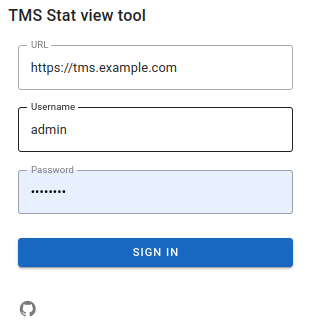
Authorization in the web interface is possible using the TMS address, administrator login and password.
Below are some examples of displaying statistics.
Under Report options you need to select Provider and period to display the statistics.

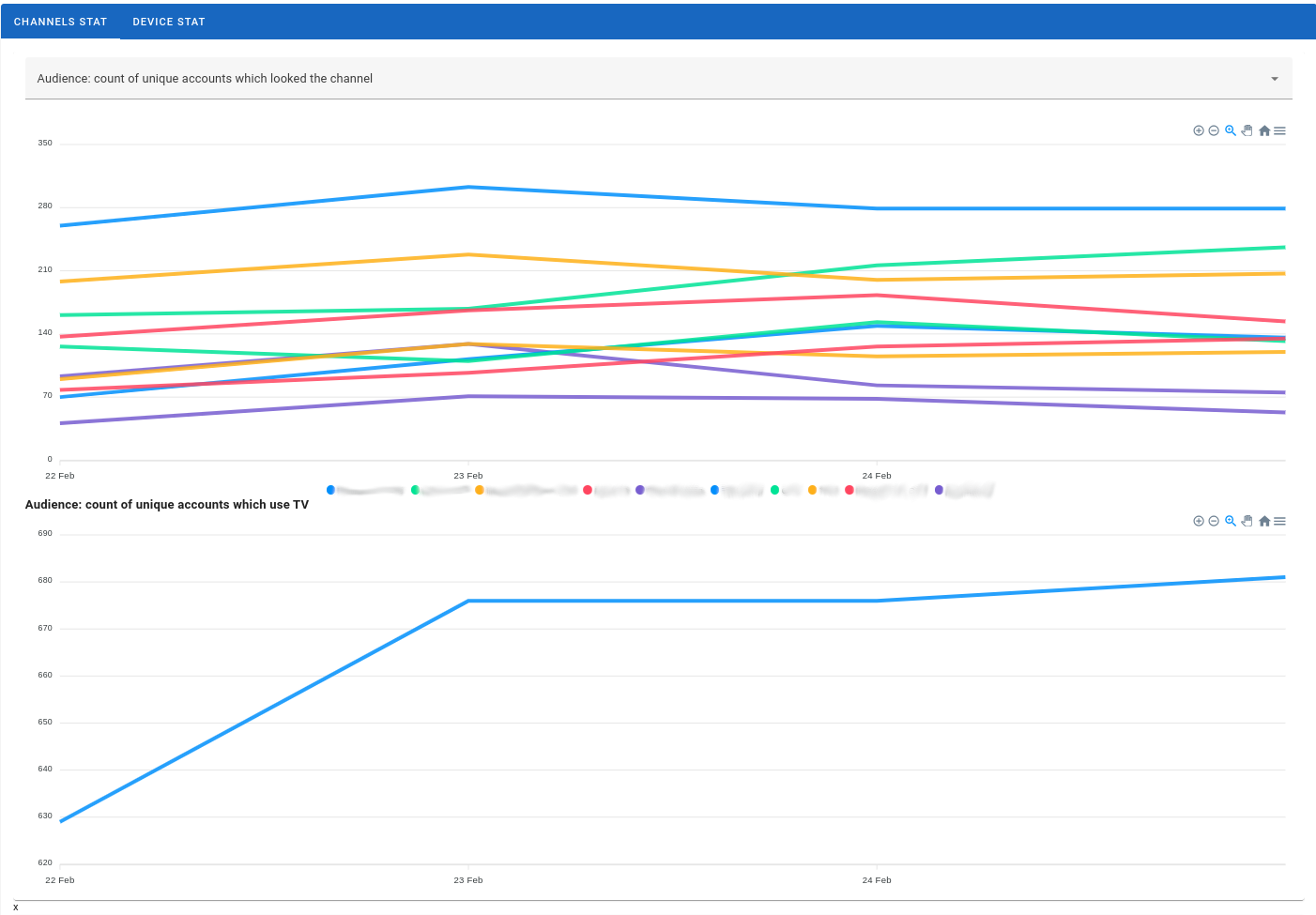
Example of Channels Stat :
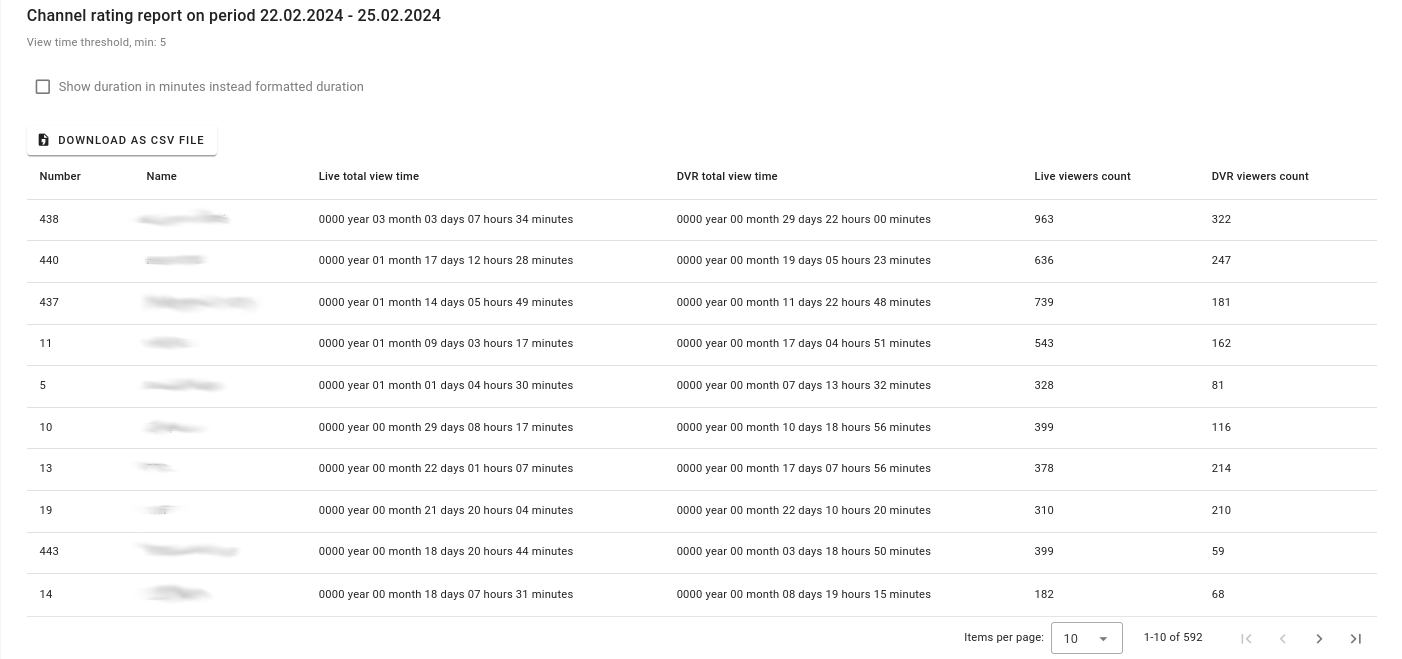
Statistics of Live and DVR views:
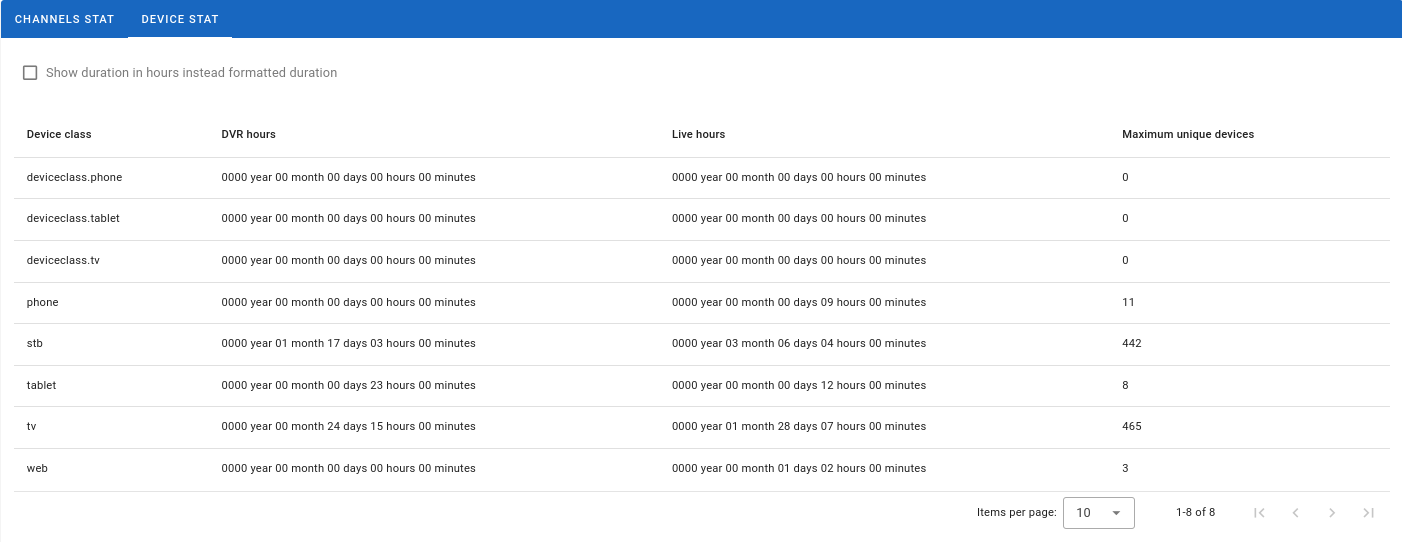
Example of Device Stat :